How to Track Your SLP Caseload in Google Sheets (IEP Dates, Minutes, Goal Data and CEUs)
What school SLPs should track (IEP dates, evaluations, goal data, minutes and make-ups, CEUs), how to set it up in Google Sheets, and a 10-minute weekly routine.
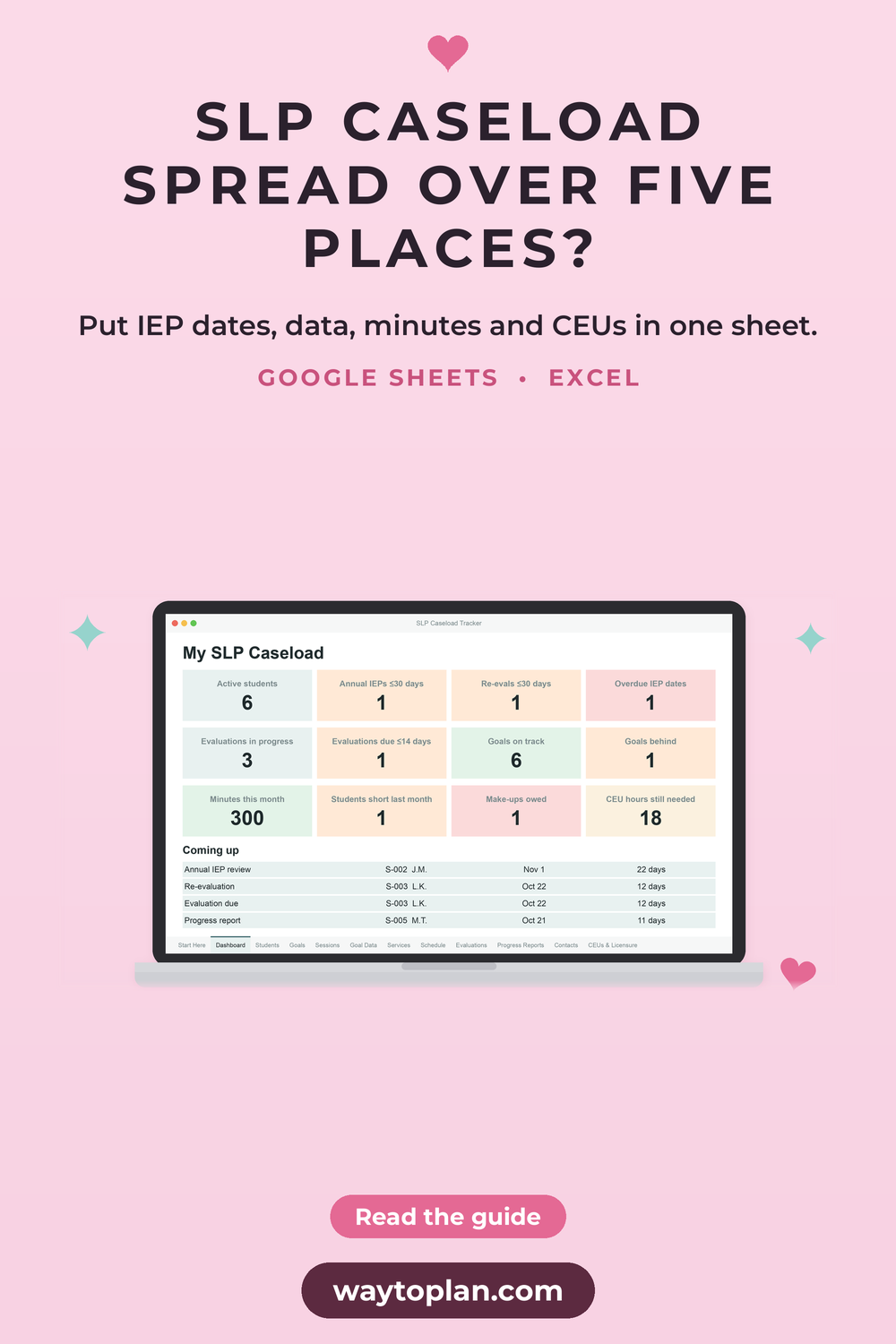
If you’re a school-based SLP, your caseload probably lives in five places at once: an IEP calendar, a pile of data sheets, a minutes log, sticky notes about make-ups and a folder of CEU certificates. Nothing is lost, exactly. It just takes twenty minutes to answer a simple question like “whose annual review is next month?”
A caseload tracker in Google Sheets (or Excel) puts it all in one place. This guide covers what to track, how to set it up, and a 10-minute weekly routine that keeps it current.
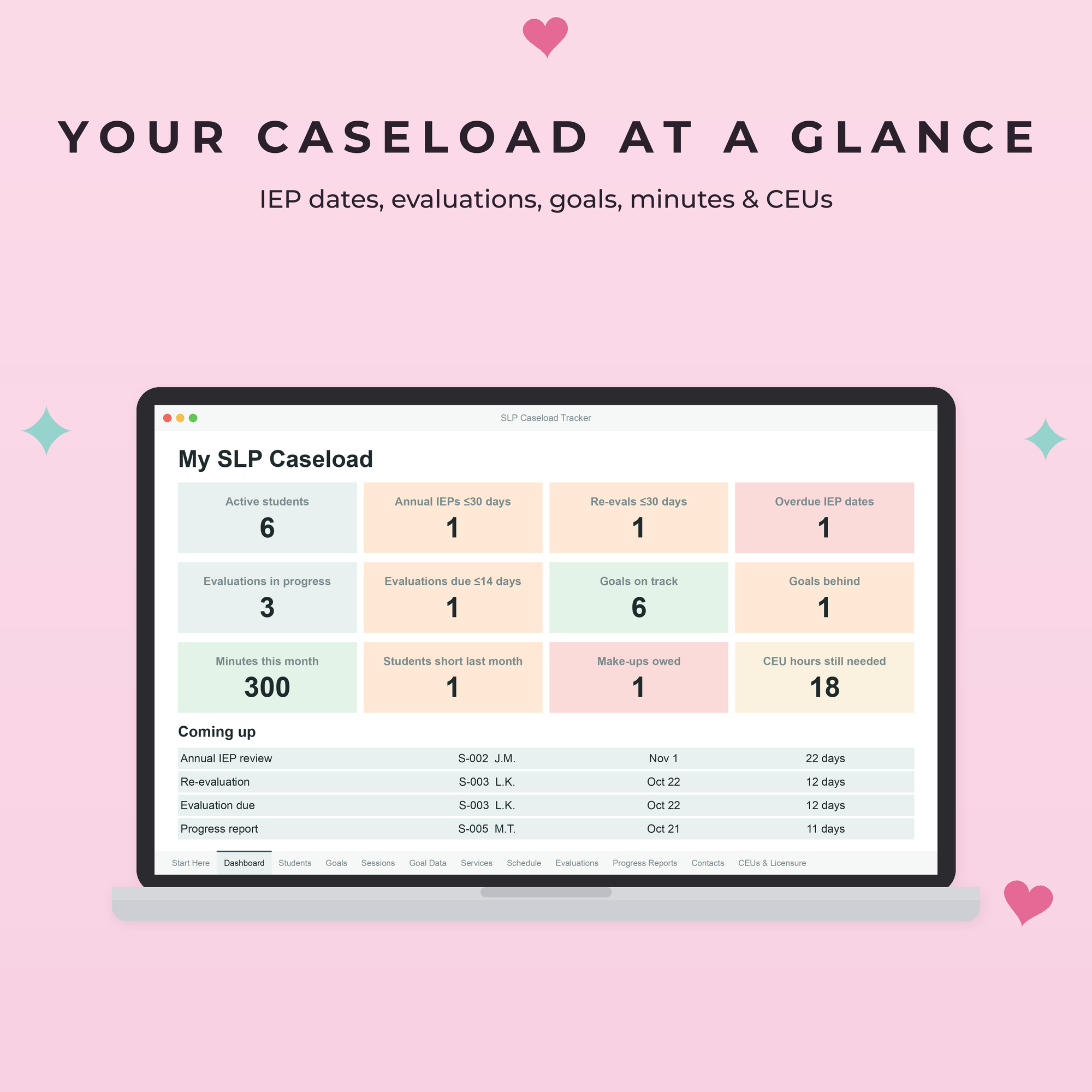
What to track for every student
A useful caseload tracker answers your most frequent questions at a glance. These are the ones that matter most for school SLPs.
1. IEP and re-evaluation dates
For every student: the IEP start date, the annual review date and the re-evaluation date. Add a “days left” column so the next deadline is obvious, and color it red when it’s overdue and orange when it’s coming up soon.
2. Evaluation timelines
Log the date you received consent, and let the sheet calculate the due date from your timeline. IDEA sets 60 days for initial evaluations unless your state uses its own timeline, so make the number of days easy to change.
3. Goals and goal data
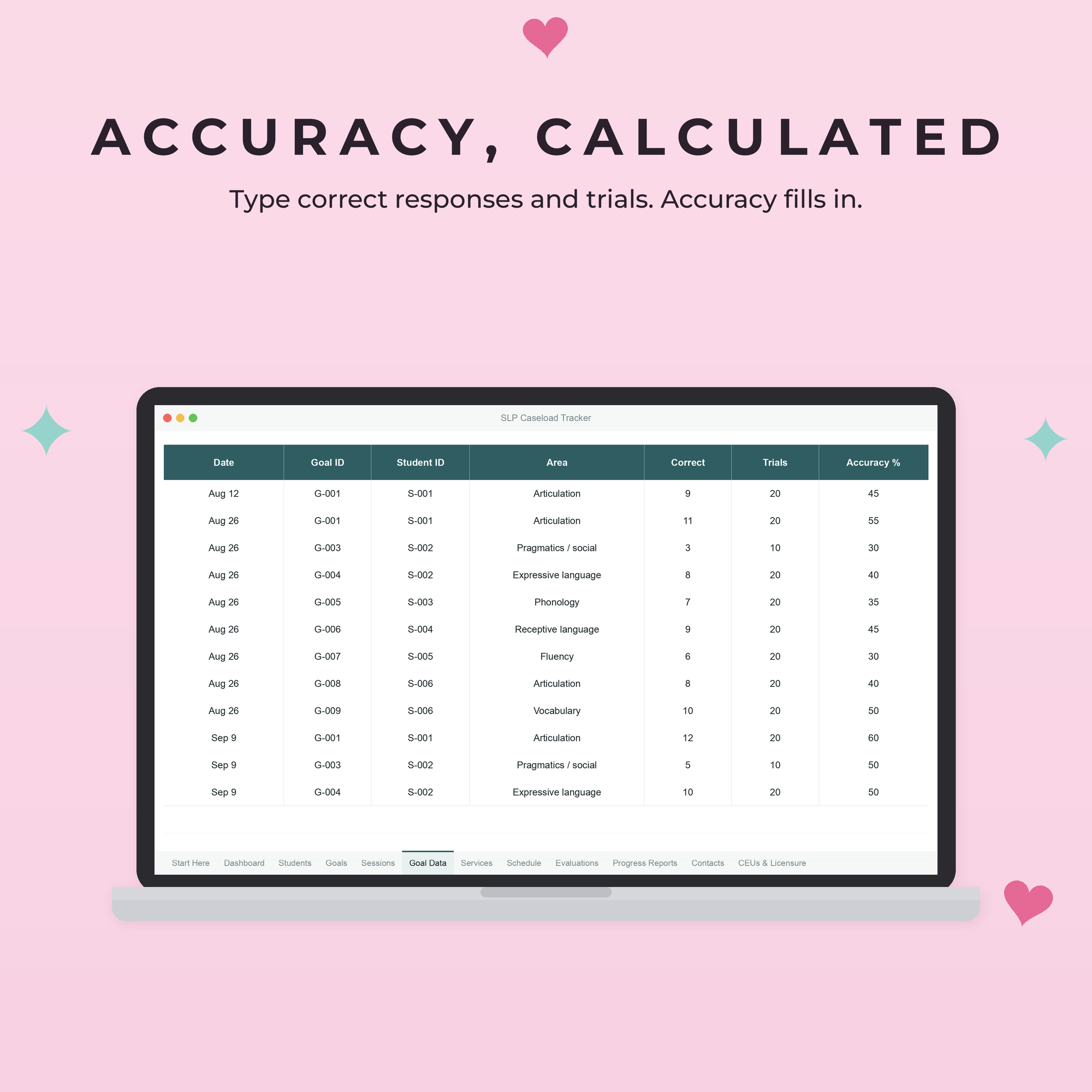
For each goal: the baseline, the target and the latest accuracy. Then log session data as correct responses and total trials, and let the sheet do the math. It saves you from calculating percentages between sessions, and you can see at a glance whether a goal is on track for the IEP year.
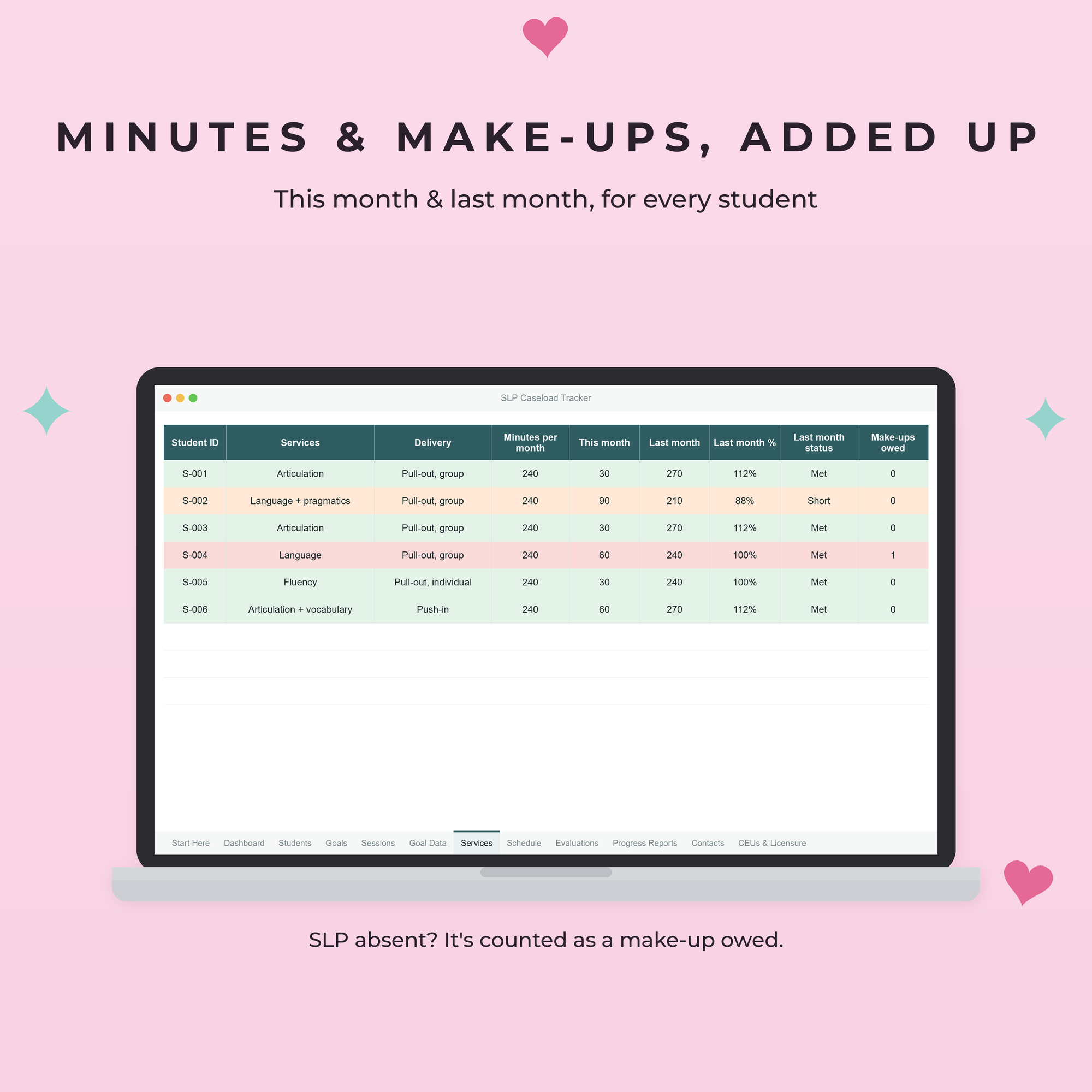
4. Service minutes and make-ups
Log each session once: present, student absent, SLP absent, make-up, and so on. Your tracker should then add up minutes delivered this month and compare them with the minutes required on each IEP. The difference is your make-up list, ready when an administrator or parent asks.
5. Progress reports and contacts
Report due dates, parent and team contacts, and follow-ups you promised. A simple “done” column keeps them from slipping.
6. Your CEUs
ASHA certification maintenance asks for 30 professional development hours every 3-year interval, including at least 1 hour in ethics and 2 hours in cultural and responsive practice topics. Your state license may have different or extra requirements. Log each course as you finish it and the sheet can show how many hours you still need, so the end of the cycle isn’t a scramble. Always check the current rules on ASHA’s site and with your state board.
How to set it up in Google Sheets
- Start with a clear structure: one tab per topic (Students, Goals, Goal Data, Sessions, Evaluations, CEUs) and a Dashboard tab that pulls everything together.
- Use dropdowns for student IDs, goals and attendance codes. They keep your data consistent, so the totals stay right.
- Use simple formulas. Accuracy is
=IF(C2=0,"",B2/C2)(correct responses in B, trials in C). Days left until a date in D2 is=D2-TODAY(). Minutes delivered per student per month is aSUMIFSon your Sessions tab. - Add color rules with Format > Conditional formatting: red for overdue, orange for due within 30 days, green for done or on track.
- Keep typing cells and formula cells apart. Give formula cells a light tint so nobody types over them.
Building this from scratch takes a few evenings. If you’d rather start on Monday, a ready-made tracker does all of the above for you.

A 10-minute weekly routine
A tracker only helps if it’s current. This short Friday routine is enough:
- Log the week’s sessions (2 to 3 minutes if you kept paper data sheets during the week).
- Check the dashboard for anything red or orange: IEP meetings, evaluations or reports due soon.
- Schedule make-ups for any student who is short on minutes this month.
- Glance at goals marked behind and note which ones need a new approach next week.
Keep student data private
- Use student IDs or initials instead of full names.
- Store the file where your district allows it, usually your school Google account or OneDrive, not a personal account.
- Follow your district’s FERPA and data privacy policies, and don’t share the file outside your team.
Excel or Google Sheets?
Both work. Google Sheets is easier if you switch between school computers or share with a co-SLP. Excel is great if your district works offline or in Microsoft 365. To open an Excel file in Google Sheets, upload it to Google Drive, open it, and choose File > Save as Google Sheets so every feature works.
Get the SLP Caseload Tracker
Our SLP Caseload Tracker has everything in this guide ready to go: a dashboard, IEP and evaluation countdowns, goal data with accuracy calculated, monthly minutes and make-ups, a weekly therapy schedule, progress reports and contacts, and a CEU log. It works in Google Sheets and Excel, and it includes bonus printable data sheets (articulation, goal data and cueing, group session notes) in US Letter and A4.
Working on a school team? The School Team Bundle includes the SLP tracker, the OT Caseload Tracker and an IEP goal tracker. For behavior analysts there’s the BCBA Client & Caseload Tracker.
IEP, evaluation and CEU requirements depend on IDEA, ASHA, your state and your district. Always check your own dates and hours.
Save this guide for later
Pin it to your Pinterest board so you can find it again when you need it.