How to Choose the Best ADHD Planner (and Actually Use It)
What makes a planner ADHD-friendly, whether printable or digital works better for you, and how to set up a planner routine that survives a messy week.
Most people with ADHD have a drawer full of planners they used for two weeks. That is not a personal failure. Most planners are simply designed for brains that like long lists, perfect streaks and filling in every box. The best ADHD planner is the one you actually keep opening, even after you skipped a few days.
This guide walks you through what makes a planner ADHD-friendly, whether printable or digital works better for you, and how to set up a planner routine that survives a messy week.
What makes a planner ADHD-friendly?
Look for these features before you buy (or print) anything:
- A simple layout. Too many sections on one page create visual noise and make it harder to start. White space is a feature, not wasted paper.
- A small number of priorities. A daily page with room for your top 3 tasks is more realistic than a list of 20.
- Undated or flexible pages. If you skip a week, undated pages don’t leave a trail of empty boxes that make you feel behind.
- A brain dump space. Getting every open loop out of your head is often the first step before you can prioritize.
- Time tools. Time blindness is common with ADHD. Hourly schedules, time blocking and time estimates make time more visible.
- Room for wins. A done list or accomplishment log shows what you did finish, which is motivating on hard days.
Printable or digital ADHD planner?
Both can work well. It mostly depends on where your attention goes.
A printable planner is a good fit if…
- you get distracted as soon as you pick up your phone or tablet;
- writing by hand helps you remember things;
- you like to see your planner lying open on your desk or kitchen table;
- you only want to print the pages you actually use.
A digital planner is a good fit if…
- you already use an iPad or tablet with a stylus every day;
- you tend to lose paper (a digital planner is always in your bag);
- you like to move, duplicate or delete pages without starting over;
- you enjoy hyperlinked tabs that take you straight to the right day.
Not sure? Start with a single printable page for a week. It costs little, and you’ll quickly learn what you like and what you skip.

How to set up an ADHD planner that you’ll actually use
1. Start with one page, not the whole system
Pick the one page that solves your biggest problem. Forgetting tasks? Start with a daily page or an ADHD to-do list. Losing track of time? Try an ADHD time tracker that compares your estimates with how long tasks really take.
2. Attach planning to something you already do
Plan while your coffee brews, or right after you brush your teeth. Linking a new habit to an existing one makes it much easier to remember.
3. Brain dump first, then choose three
Write down everything on your mind, then circle only three things for today. Everything else can wait on the brain dump page, so it is out of your head without being forgotten.
4. Plan in time blocks, with buffers
Block time for your top three tasks and add buffer time between them. Most people with ADHD underestimate how long things take, so a buffer keeps one late task from derailing the whole day.
5. Make restarting easy
You will skip days. Decide in advance what “restarting” looks like: open the planner, do a quick brain dump, pick three tasks. No catching up on missed pages required.
Our ADHD planners, by situation
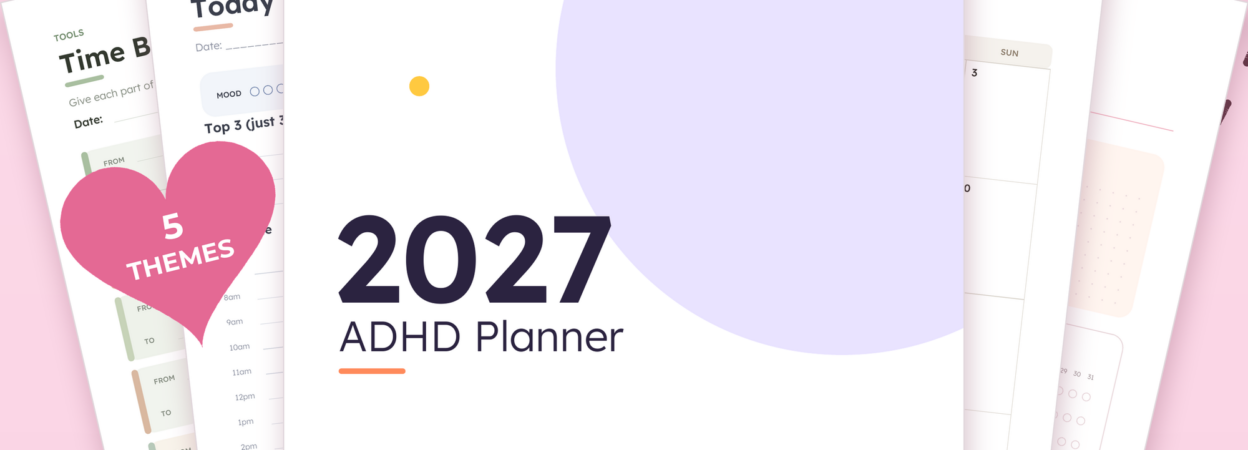
- A complete year planner on paper: the ADHD Planner 2027 Printable has monthly calendars, undated weekly and daily pages with a top 3, and a 14-tool ADHD toolkit (brain dump, tiny steps, dopamine menu, time blocking and more). It comes in US Letter and A4.
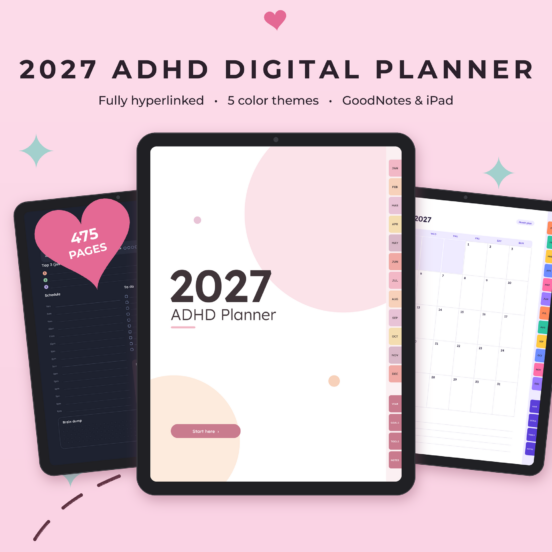
- A complete year planner on your iPad: the ADHD Digital Planner 2027 is fully hyperlinked, with dated daily and weekly pages, dark mode and the same ADHD toolkit. It works in GoodNotes, Notability and other PDF apps.
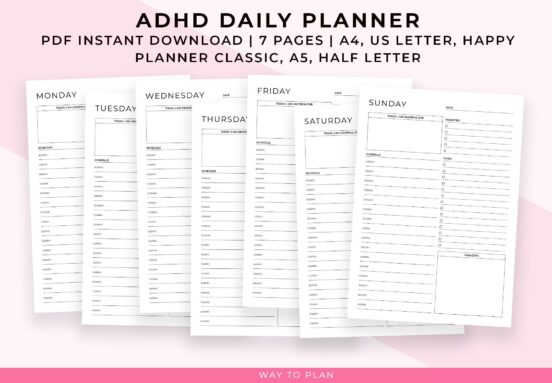
- Just a simple daily page: the ADHD Daily Planner (printable) or the Digital ADHD Planner for iPad, with priorities, to-dos, thoughts and an hourly schedule.
- Students: the ADHD Student Planner Printable or the Digital ADHD Student Planner to break down assignments and manage study time.
- Teachers: the ADHD Teacher Planner for lesson plans, classes and school-year overviews.
- Home: the ADHD Cleaning Checklist breaks cleaning down room by room.
- Everything in one download: the ADHD Productivity Bundle combines planners, to-do lists, habit challenges, a distraction log and more.
Browse the full ADHD planner collection for more options.
More ADHD-friendly planners
-

ADHD Digital Planner 2027 | Hyperlinked GoodNotes & iPad Planner with Dark Mode
A fully hyperlinked 2027 ADHD digital planner with brain dumps, tiny steps, dopamine menus and gentle routines. 475 pages, 5 color themes incl. dark mode. For GoodNotes, Notability & more.$16.95 -

ADHD Daily Planner to Create Structure and Routine for Improved Focus
What Is an ADHD Daily Planner? This daily planner is designed for simple, structured daily planning. It helps you stay organized without feeling overwhelmed. ✨. What You Can Do with This Planner.$2.99 -
ADHD Printable Bundle | 22 ADHD Planner Printables with Time Blocking, Brain Dump & Priority Matrix
Plan, focus and get it done with this ADHD printable bundle: 22 simple printables to help you manage your time, sort your priorities, build habits and keep your home and wellbeing on track.$19.99

Frequently asked questions
What is the best planner for ADHD?
The best ADHD planner has a simple layout, focuses on a few priorities per day, includes a brain dump and makes time visible. Whether printable or digital is better depends on whether screens distract you.
Should an ADHD planner be dated or undated?
Undated pages are more forgiving if you skip days. Dated pages make it easier to see deadlines ahead. Many people like dated monthly calendars combined with undated daily pages.
How do I stick with a planner when I have ADHD?
Keep it small (one page, three priorities), link planning to an existing habit, keep the planner visible, and plan how you’ll restart after missed days instead of aiming for a perfect streak.
Do digital ADHD planners work with GoodNotes?
Yes. Our digital planners are hyperlinked PDF files that work in GoodNotes, Notability and other PDF annotation apps on iPad and Android tablets.