

Digital Savings Challenge Tracker for iPad | GoodNotes 100 Envelope, 52 Week & No Spend Challenges, Sinking Funds
- Instant Download: Get your planner now!
- iPad ready: hyperlinked, 4 themes incl. Dark Mode
- Become more organized and productive

Planner description
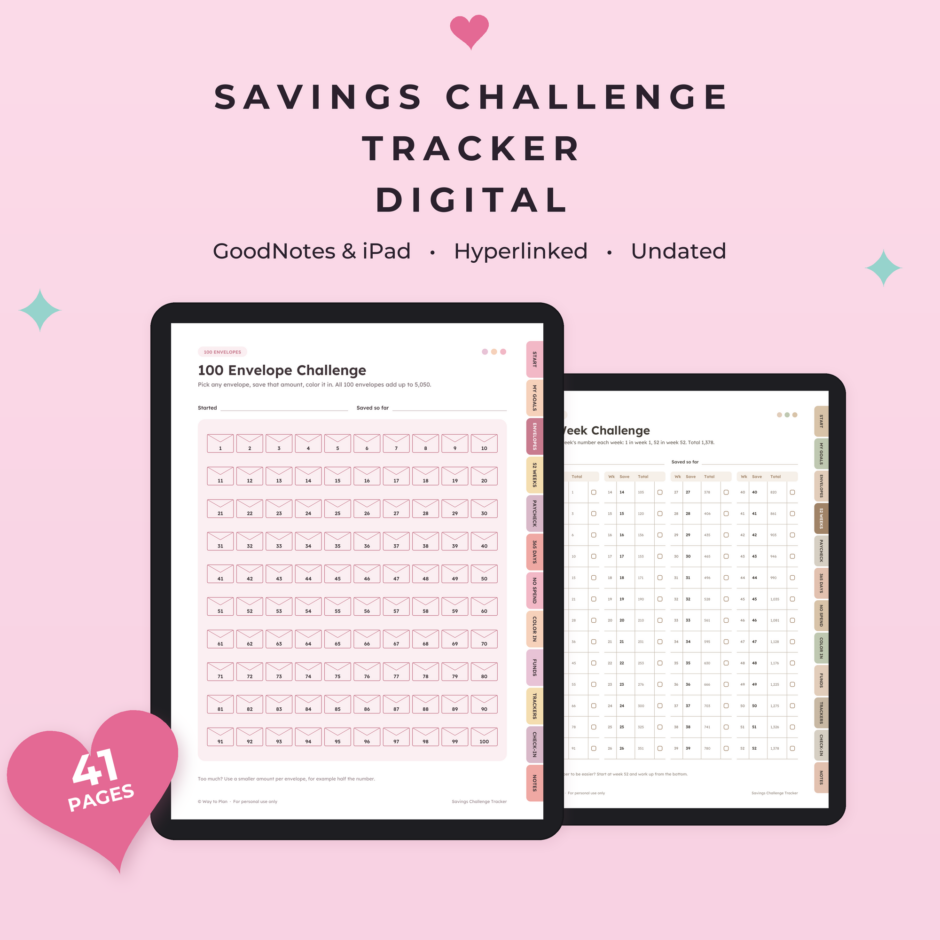
A digital savings challenge tracker for GoodNotes and iPad: six savings challenges, sinking funds and goal trackers in one hyperlinked file, so you can see your savings grow every time you color something in.
Saving is easier when you can see it. Pick the challenge that suits you: color in 100 envelopes, save the week's number for 52 weeks, put money aside every payday, fill a box a day, or try a 30-day no spend challenge. Running totals are already filled in, so there's no math to do. It works in any currency and for any goal, from an emergency fund to a vacation or a new laptop.
What's inside (41 pages)
- Start here: how it works, with quick links to every challenge
- My savings goals: every goal, amount and date on one page
- 100 Envelope Challenge: 100 envelopes to color in (all 100 add up to 5,050)
- 52 Week Challenge: save the week's number, with a running total next to every week (1,378 in total)
- Paycheck Challenge: 26 paydays with the amount saved and the total so far
- 365 Day Challenge: a box for every day, with every 30th box marked
- 3 No Spend Challenges: 30 days to color in, what's still OK to buy, and what you saved
- 4 Color-In Savings Goals: 100 circles, you decide what one circle is worth
- 4 Sinking Funds pages: 16 funds with a goal, a monthly amount and 12 months to fill in
- 8 Savings Goal Trackers: one page per goal with a 20-box progress bar and a deposit log
- 12 monthly check-ins: saved this month, total saved, what helped, next month's focus
- 4 lined notes pages
Hyperlinked (560 links)
- 12 side tabs on every page: Start, My goals, Envelopes, 52 weeks, Paycheck, 365 days, No spend, Color in, Funds, Trackers, Check-in, Notes
- Quick links on the start page
- Previous and next buttons on every no spend, color-in, funds, tracker and check-in page
Details
- 4 themes, all included: Warm Neutral, Blush Pink, Bold & Playful and Dark Mode
- Undated: start any month
- Works with any currency
- Portrait layout, made for iPad and other tablets
- Works in GoodNotes, Notability, Noteshelf, Xodo and other PDF apps that support links
- Duplicate any page in your app when you need more
You will receive
- Savings-Challenge-Tracker-iPad-4-Themes.zip (0.8 MB) with 4 PDFs, one per theme
How to download
- Complete your purchase.
- Download the ZIP file from the order confirmation page or your email.
- Unzip it and import the PDF into GoodNotes, Notability or your PDF app.
- Tap the tabs and links to move around.
Please note
This is a tracking tool, not financial advice. Never write passwords, PINs or full account or card numbers in it. Amounts are plain numbers, so use your own currency. This is a digital product; no physical item will be shipped. For personal use only; please don't share or resell the files.
Also on e-ink: this tracker is in the shop for reMarkable, Kindle Scribe, Supernote and Boox too.
Designed by Way to Plan with the help of AI tools. Every product is checked and tested before publishing.
📱 Also available for e-ink
- reMarkable Paper Pro
- reMarkable Paper Pro Move
- reMarkable Paper Pure & reMarkable 2
- Kindle Scribe
- Kindle Scribe Colorsoft
- Supernote Manta
- Supernote Nomad
- Boox Note Air C
- Boox Go 10.3
Keeping track of bills too? See the Digital Bill Tracker for iPad.
Reviews
-
September 10, 2026
It was exactly as described.
 Purchased planner: Daily routine checklist to stay...
-
May 20, 2026
Really helped with our home school portfolios! Thanks!
Purchased planner: Homeschool Attendance Tracker | A... -
March 23, 2026
Great tool used for couples therapy!
Purchased planner: Ideal Day Blueprint | Design... -
February 23, 2026
Enjoying this product. Great product.
Purchased planner: Spring cleaning checklist to organize... -
February 22, 2026
Perfect for what I needed for! Thank you!
Purchased planner: Class Notes Template | Cornell-style... -
February 1, 2026
Works great for what I needed it for!
Purchased planner: Monthly budget calendar to visualize... -
January 20, 2026
quick and efficient lay out.
Purchased planner: Homeschool Curriculum Planner | Plan... -
January 17, 2026
I don't know how many more ways I can say that I love the products from this shop!
Purchased planner: Week at a glance printable... -
January 2, 2026
So far so good! Well thought out. Simple and easy.
Purchased planner: Daily routine checklist to stay... -
December 6, 2025
Great organizational help when I'm doing a brain dump, or need to break down a big project!
Purchased planner: Priority tasks worksheet to help... -
October 23, 2025
There are various planner pages; a lot of them are unique and practical. This bundle is a great deal! I'm glad I bought for the access of all current and future planner templates from this one purchase! The printables have a clean + simple aesthetic. And different / popular sizes! :D
Purchased planner: The only planner bundle you’ll... -
August 17, 2025
everything is fine, thank you very much…
Purchased planner: Weight loss tracker printable to... -
July 28, 2025
Really like the set up of this sheet and looking forward to using it for work. Easy to download and a great price.
Purchased planner: Priority tasks worksheet to help... -
July 13, 2025
Item is as described, looks like it will be helpful. Easy to download and print. Thank you!
Purchased planner: Deep cleaning checklist to get...





Living with my ADHD has its ups and downs, But it taught me the importance of staying organised. Sure, focusing can be tough, but i’m all about finding tricks to make it easier.
-

Digital Bill Tracker for iPad | GoodNotes Bill Calendar, Monthly Bill Tracker, Subscription Tracker, Budget by Paycheck
A digital bill tracker and bill calendar for GoodNotes and iPad: every bill, due date and payment in one hyperlinked file, so you always know what's due, what's paid and what's left.Original price was: $7.95.$6.36Current price is: $6.36. -
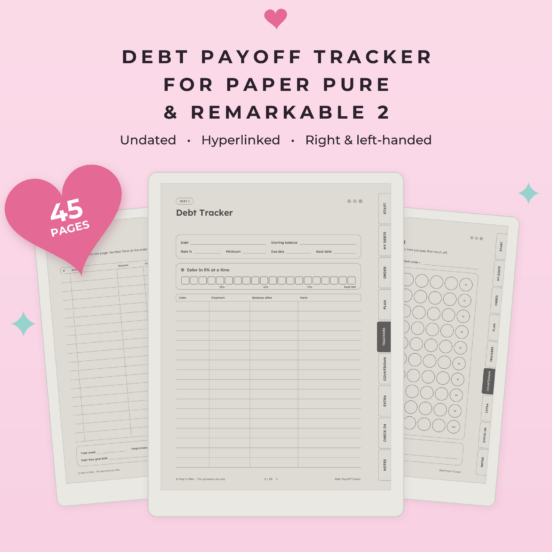
Debt Payoff Tracker for reMarkable Paper Pure & reMarkable 2 | Debt Snowball & Avalanche Planner, Debt Free Countdown, Hyperlinked
A debt payoff tracker for your reMarkable Paper Pure & reMarkable 2: list what you owe, pick an order, plan each month's payments and watch every balance go down, all in one hyperlinked file.Original price was: $7.95.$6.36Current price is: $6.36. -
Bill Tracker for reMarkable Paper Pure & reMarkable 2 | Bill Calendar, Monthly Bill Tracker, Subscription Tracker, Hyperlinked
A bill tracker and bill calendar for your reMarkable Paper Pure & reMarkable 2: every bill, due date and payment in one hyperlinked file, so you always know what's due, what's paid and what's left.Original price was: $7.95.$6.36Current price is: $6.36.