

Perimenopause Tracker App, Menopause Symptom Tracker, Hot Flash and Period Log, Mood and Sleep Tracker, Doctor Summary, Web App
- Instant Download: Get your planner now!
- Printable & Digital: Print or use with your iPad
- Become more organized and productive

Planner description
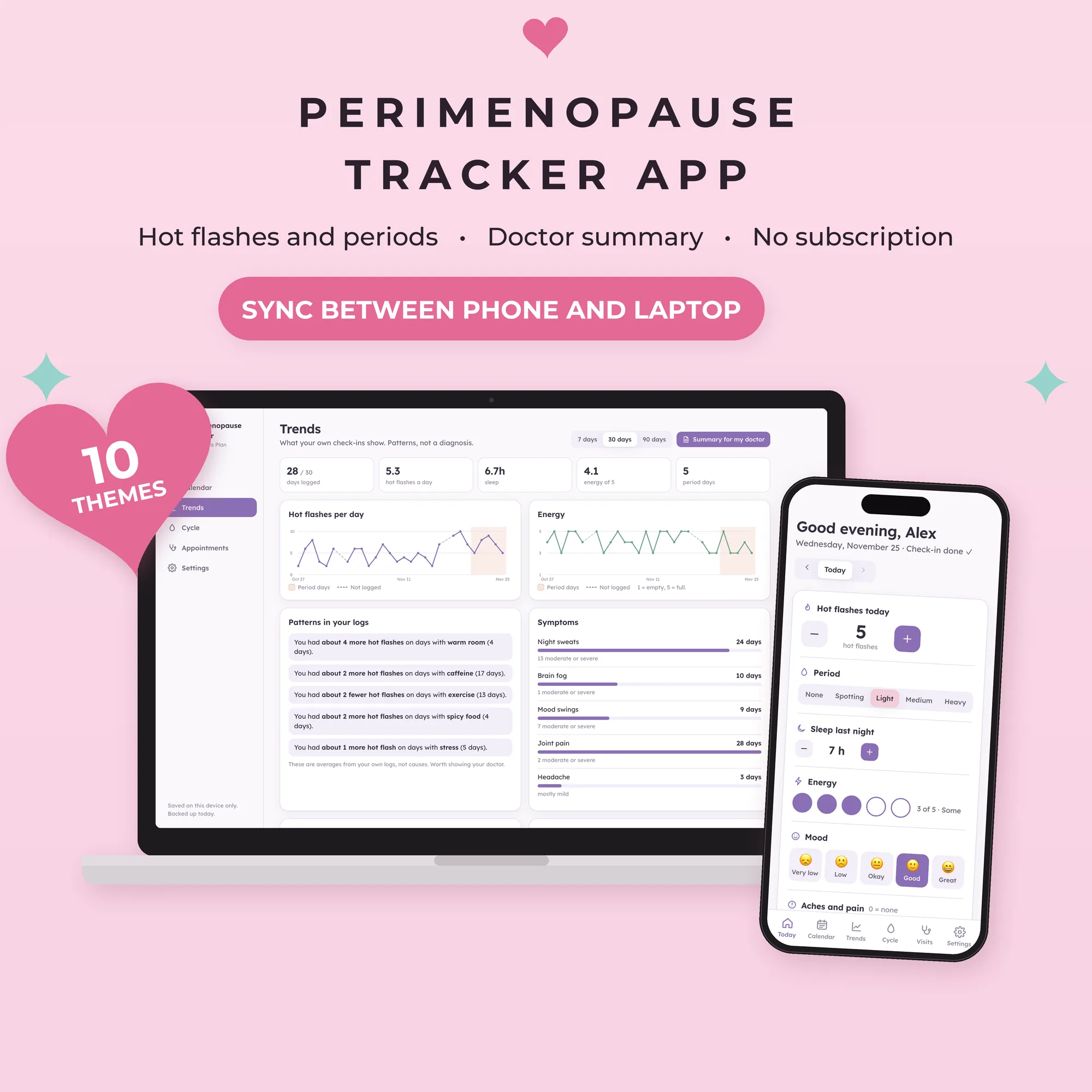
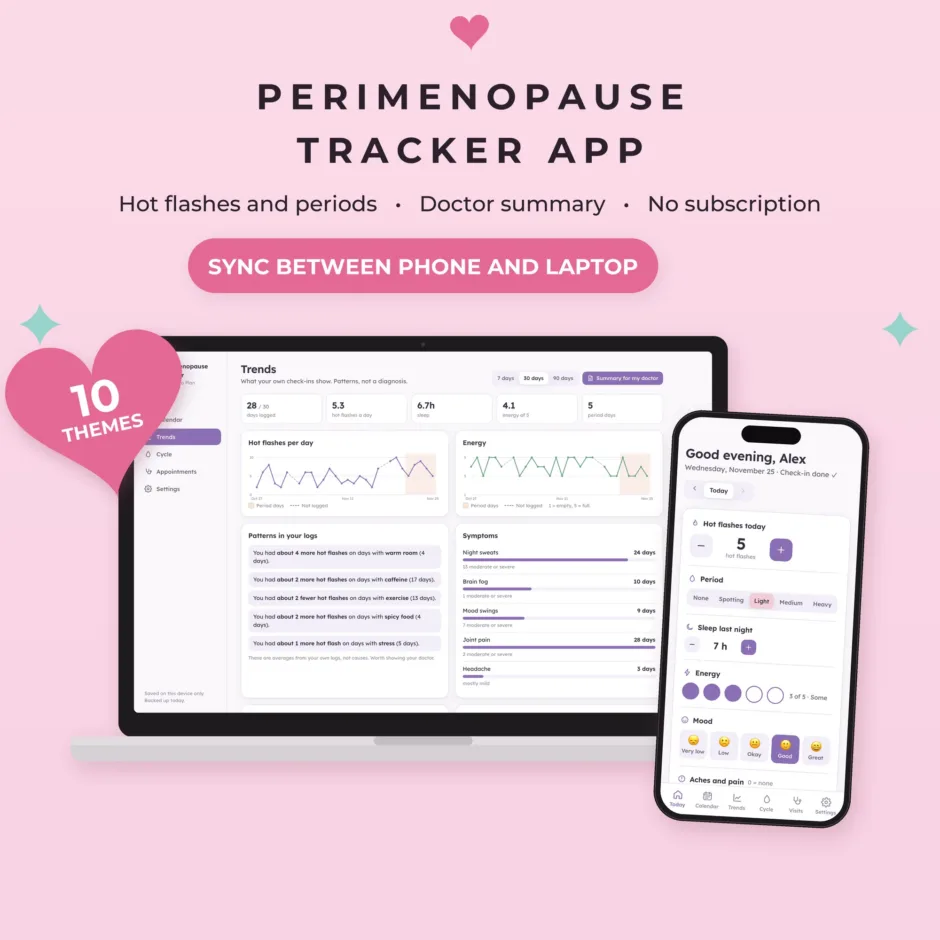
A perimenopause tracker app with a daily check-in that takes about a minute: hot flashes, your period, sleep, energy, mood, your own symptoms and your medication or supplements. It works out your cycle lengths, shows your month in color, finds patterns in your own logs, and makes a summary you can print or show at your appointment. It works offline on your phone and computer, has no subscription, and can sync between your devices if you want it to.
Perimenopause can go on for years, and the changes are easy to lose track of. Was it three hot flashes yesterday or eight? When did your last period start, and how long was the cycle before that? This app keeps the answers for you, so you can see what's changing and show your doctor exactly what happened.
📅 What's inside
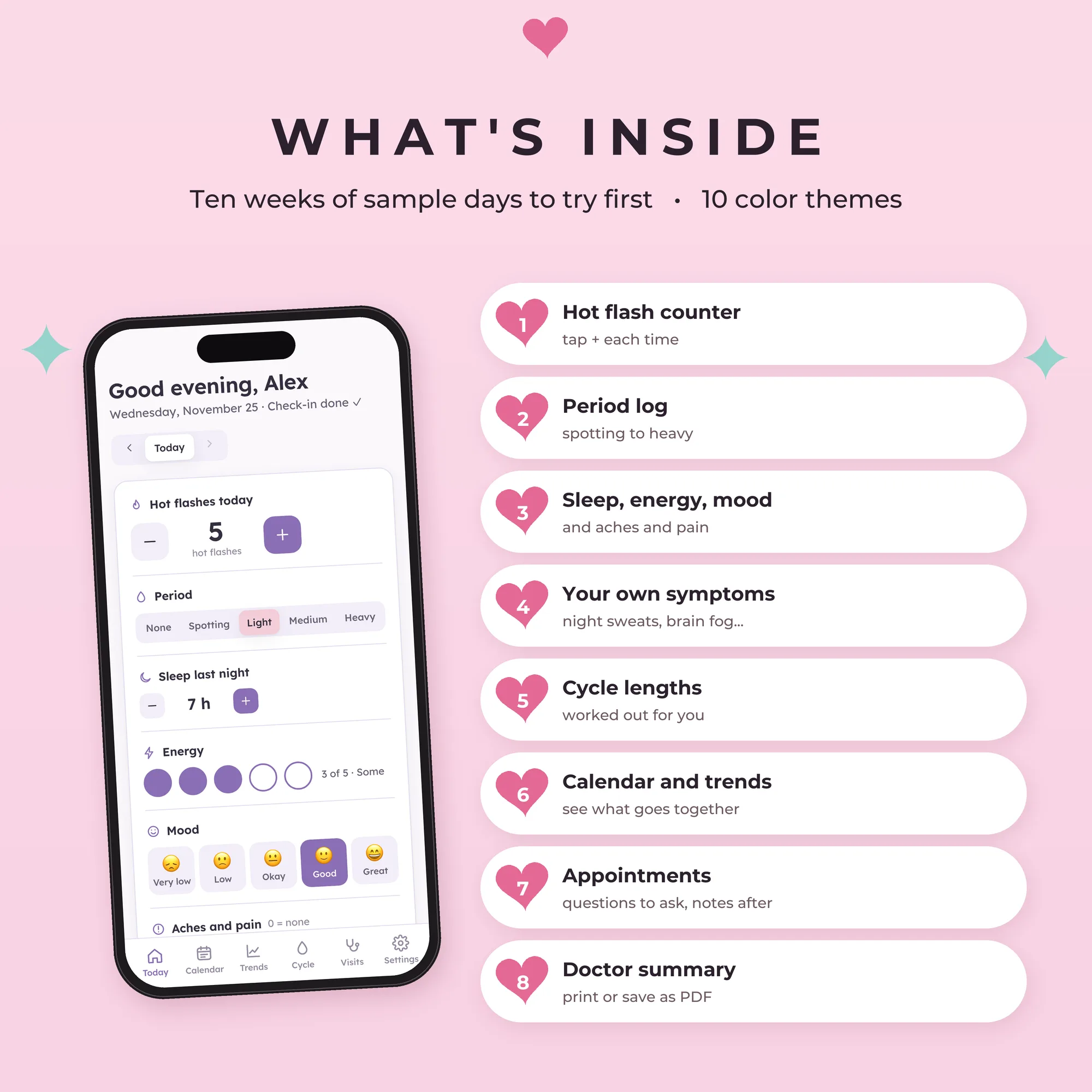
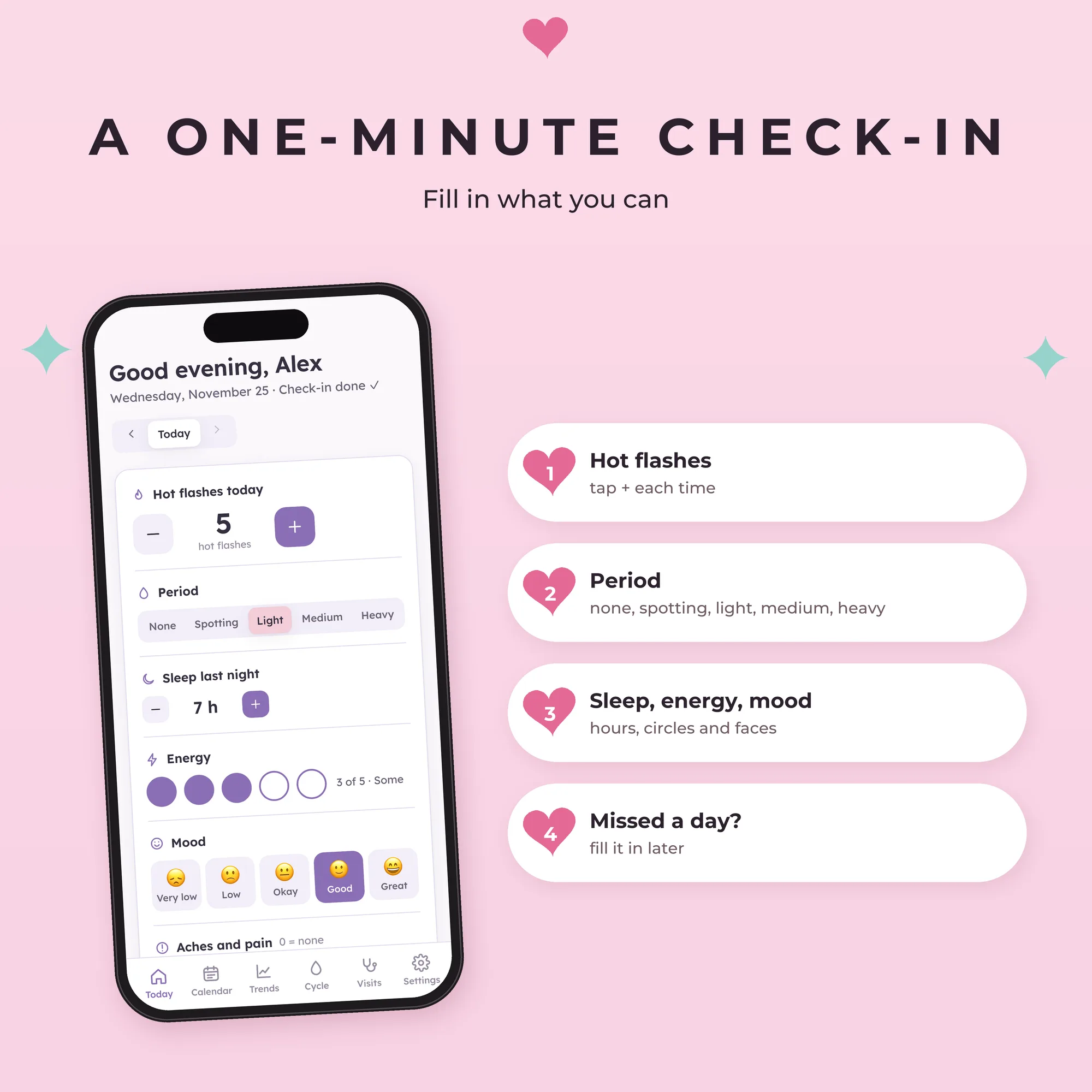
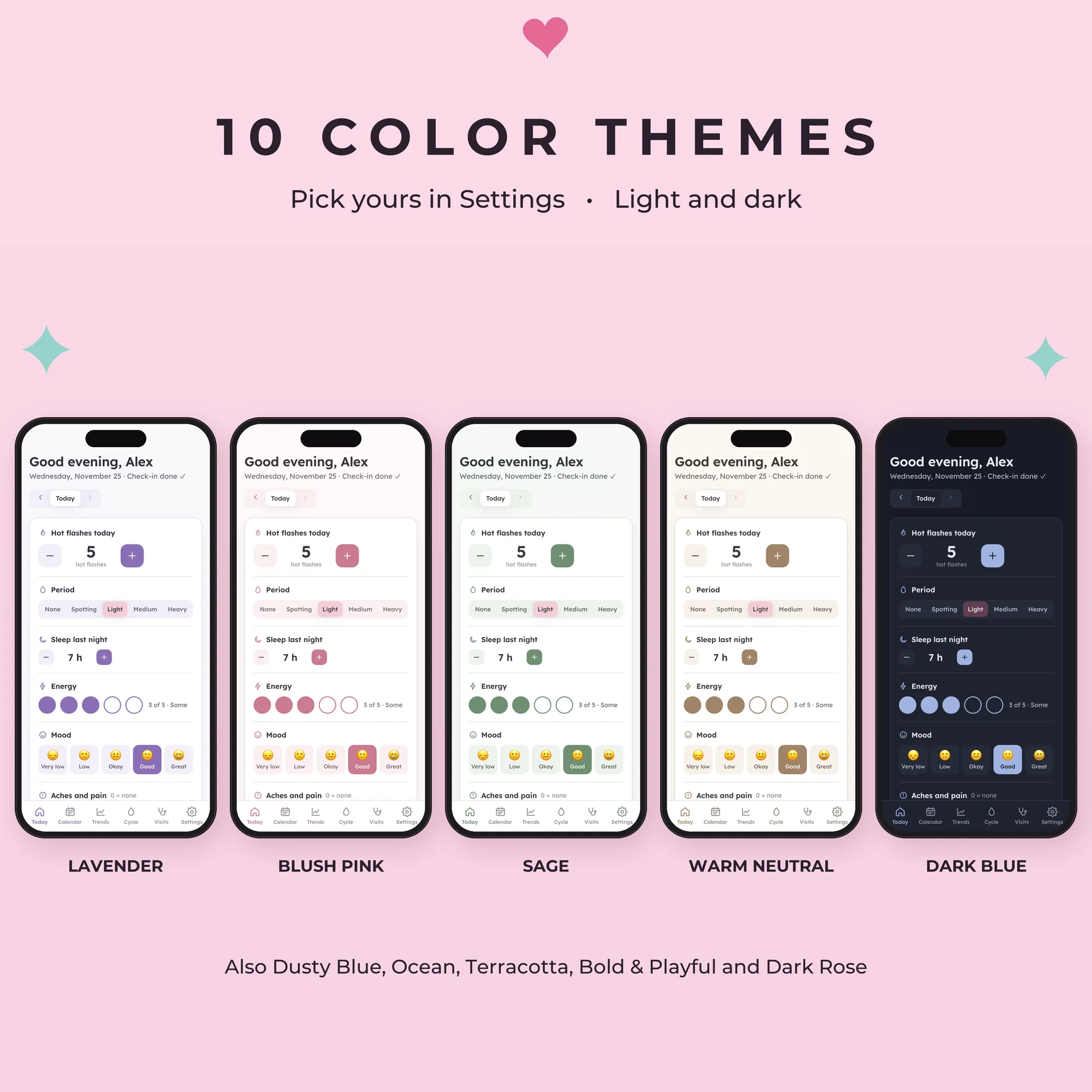
- Daily check-in: tap + for every hot flash, mark your period (none, spotting, light, medium or heavy), hours of sleep, energy (fill 1 to 5 circles), mood with 5 faces, aches and pain, and each of your symptoms as none, mild, moderate or severe. Fill in what you can, and fill in a missed day later
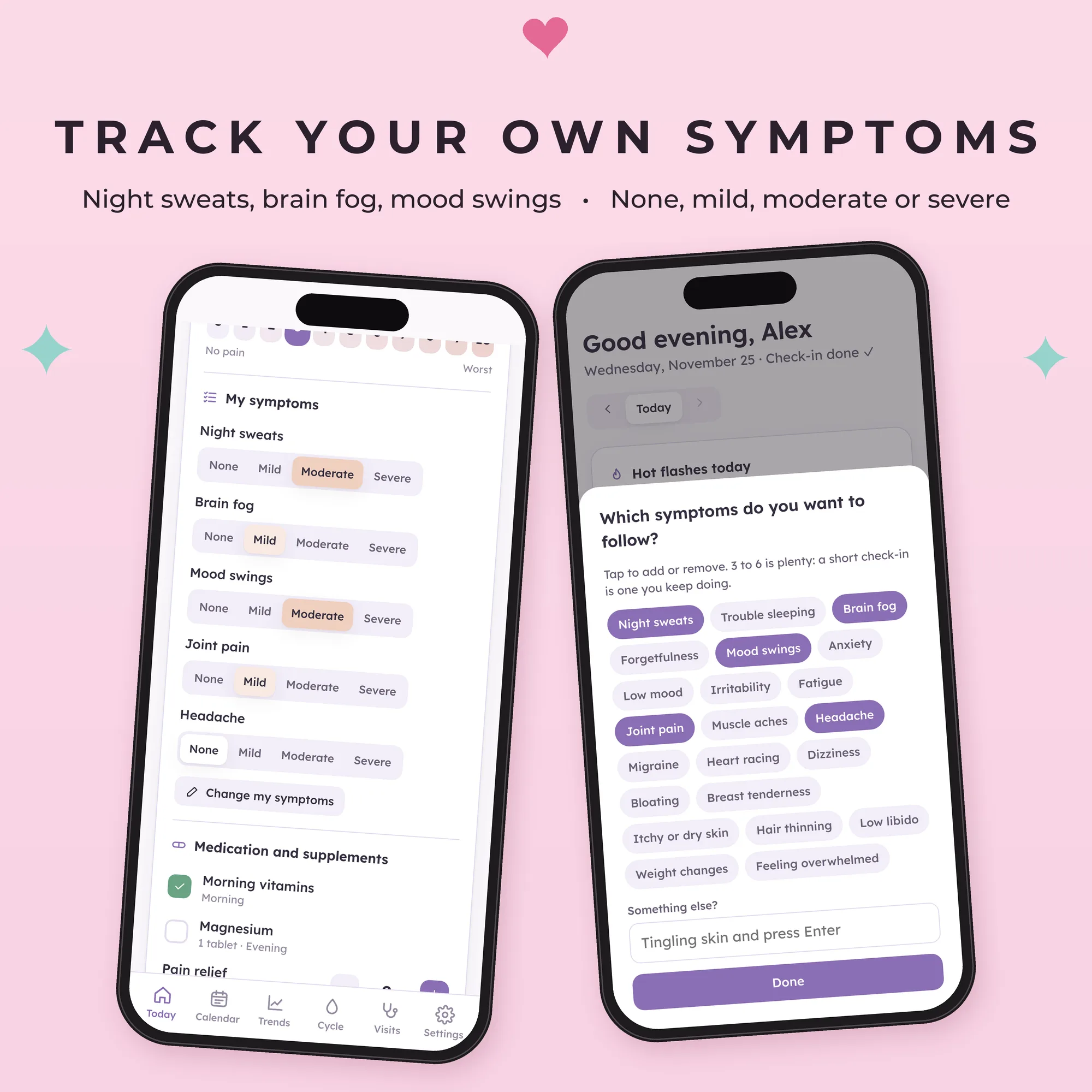
- Your own symptoms: pick them from 22 common ones like night sweats, trouble sleeping, brain fog, mood swings, anxiety, joint pain, headaches, heart racing or low libido, or type your own
- Medication and supplements: check off the daily ones, and count the ones you take as needed
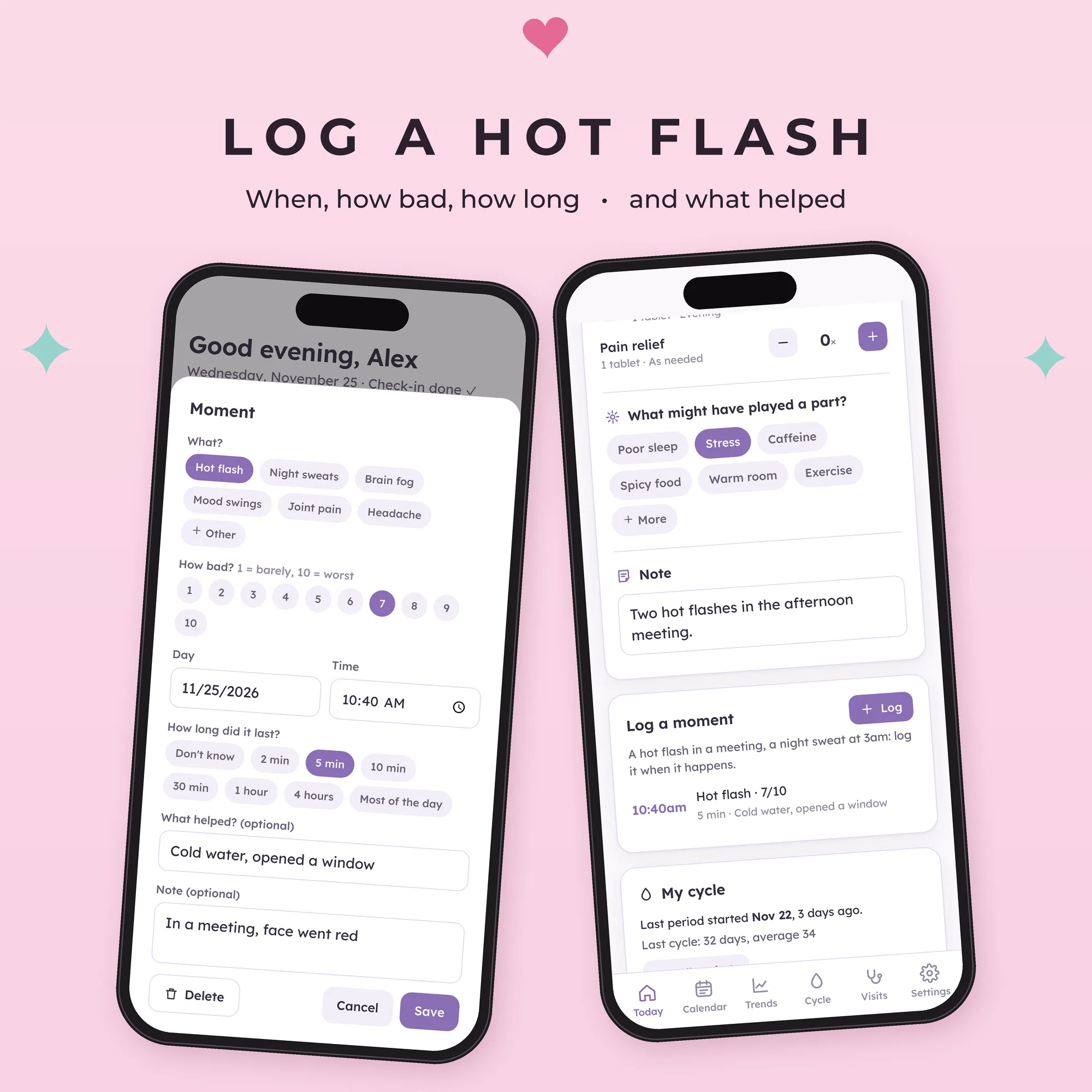
- What might have played a part: mark things like poor sleep, stress, caffeine, spicy food, a warm room or a hot drink. Add your own
- Log a hot flash: write down when, how bad, how long and what helped. It adds to that day's count. Log other moments too, like a night sweat at 3am
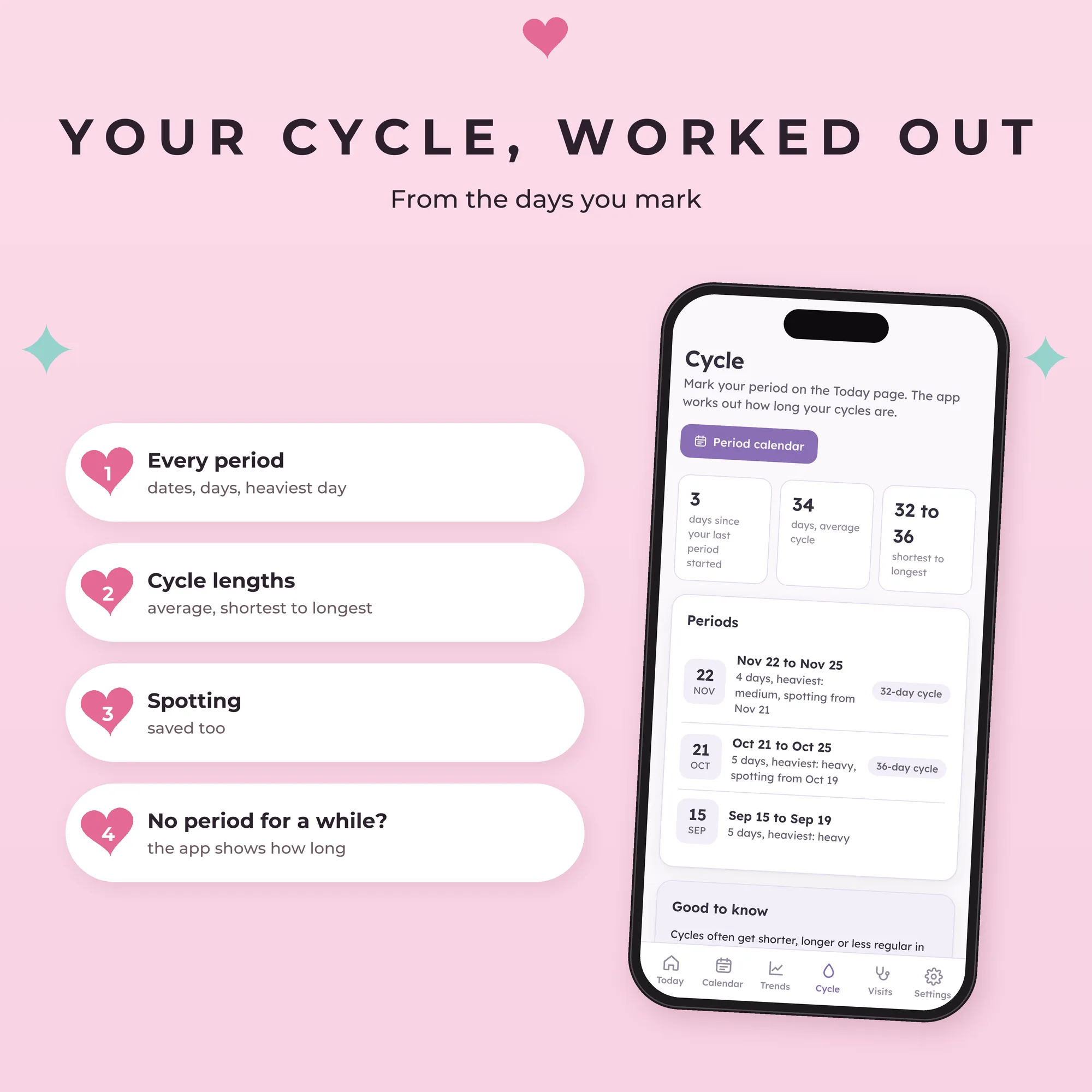
- Cycle: every period with its dates, number of days and heaviest day, spotting included, plus each cycle length, your average and your shortest to longest. If it has been more than 60 days since your last period, it tells you. The app doesn't predict periods or fertile days
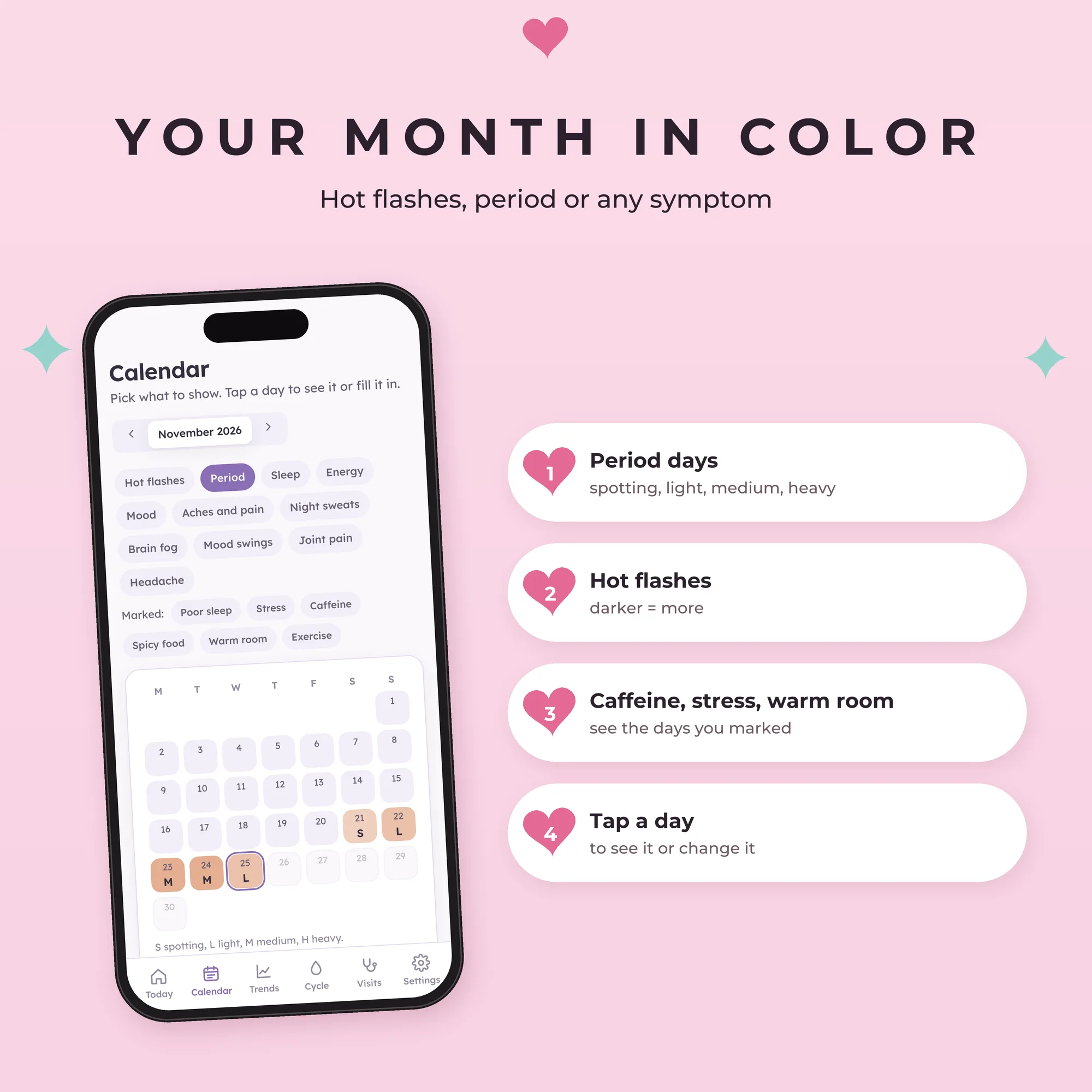
- Calendar: your month in color for hot flashes, your period, sleep, energy, mood or one symptom. See the days you marked caffeine or stress. Tap a day to change it
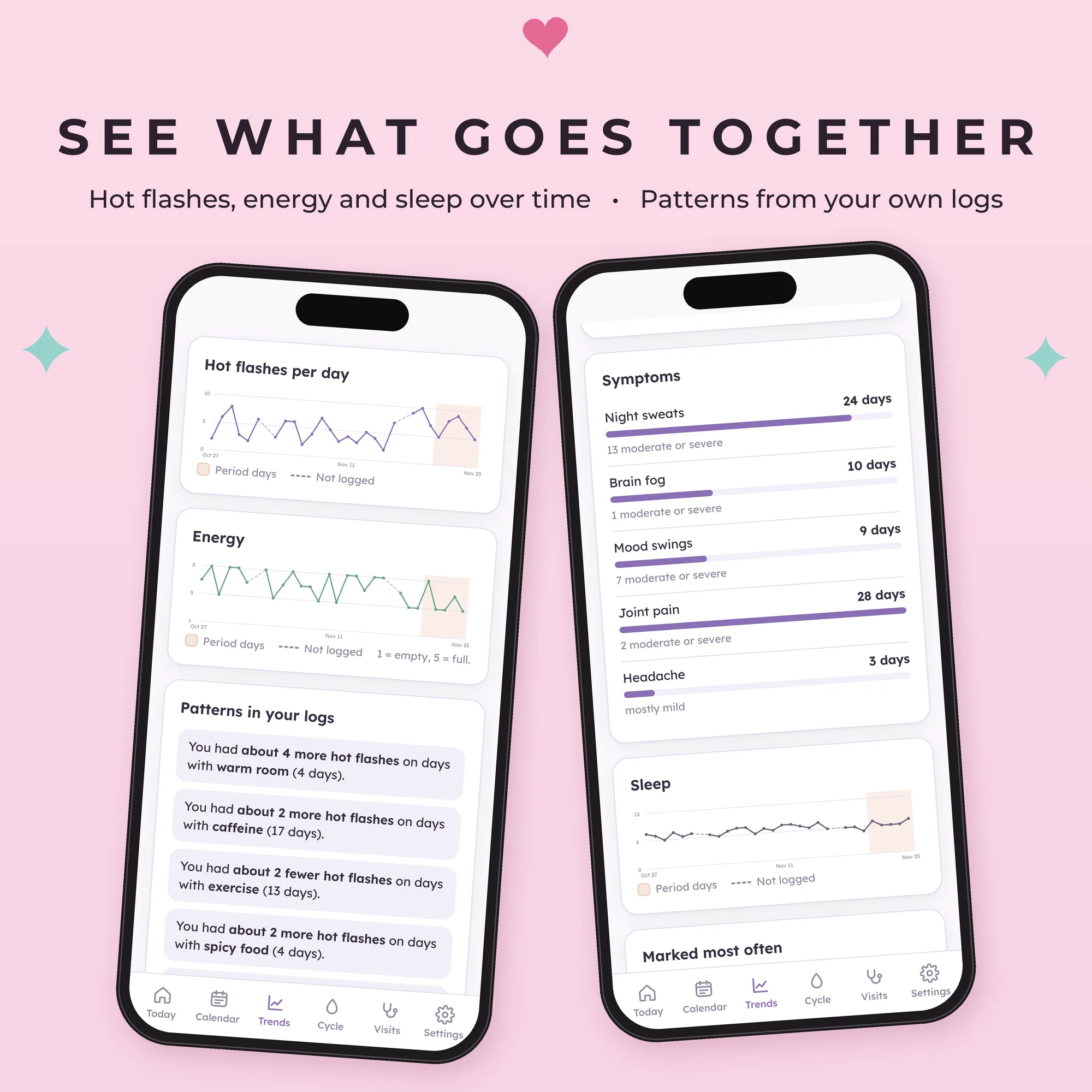
- Trends: hot flash, energy and sleep charts for 7, 30 or 90 days, with period days shaded. Patterns from your own logs, like "You had about 2 more hot flashes on days with caffeine" or "In the 3 days before a period, your mood was 1.4 points lower than usual". Patterns, not a diagnosis
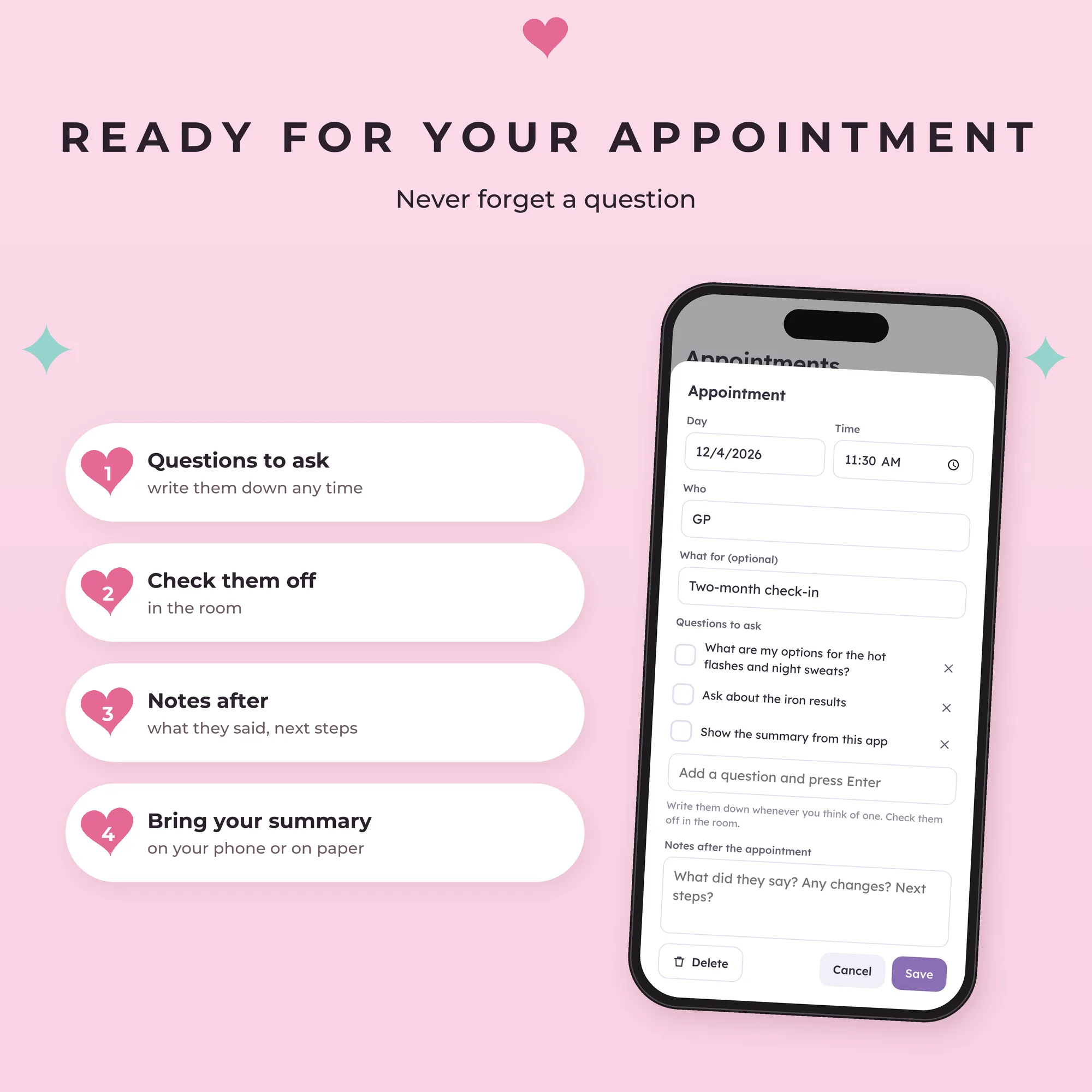
- Appointments: questions to ask, written down whenever you think of one and checked off in the room, and notes afterwards
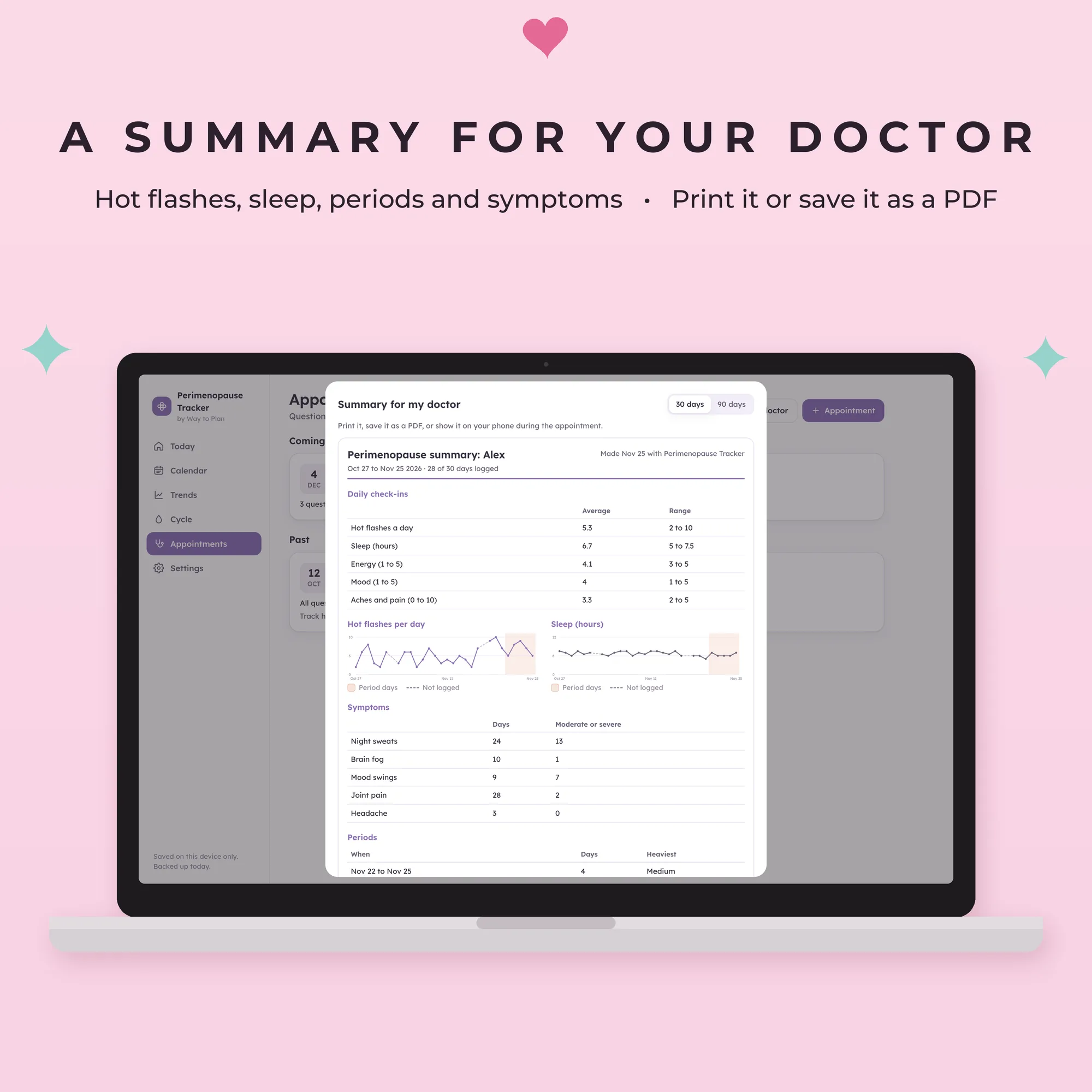
- Summary for my doctor: 30 or 90 days with your hot flash and sleep charts, a table of your periods and cycle lengths, symptom days, medication, patterns and your notes. Print it, save it as a PDF, or show it on your phone
- Settings: your name, 12 or 24-hour times, 10 color themes (light and dark), sync, backup and restore
It starts with ten weeks of sample days so you can look around first. Tap "Start my own" when you're ready.
This app helps you keep track. It isn't medical advice and doesn't diagnose anything. It isn't a way to prevent pregnancy. If something feels urgent, call your local emergency number.
💗 How it works
- Complete your order and download the zip from your order email or My Account > Downloads.
- Open the PDF inside. It has your link, a QR code and your unlock code.
- On your phone, open the link and add it to your Home Screen. It gets its own icon and opens like an app.
- Enter your unlock code once on each device.
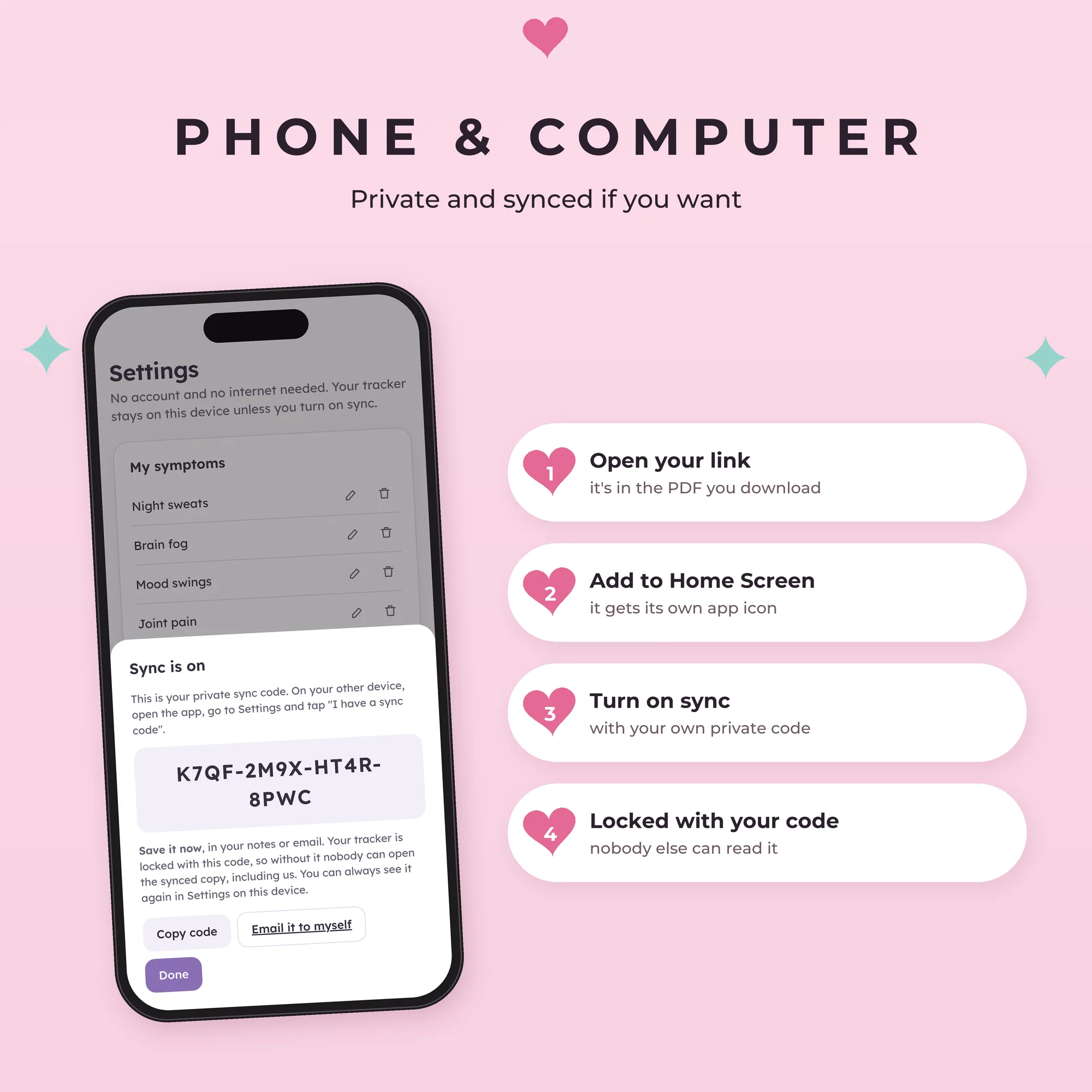
- Using a phone and a computer? Turn on sync in Settings and type your sync code on the other device.
The zip also has the tracker as an HTML file, so you can use it on a computer without internet.
💡 Please note: where your tracker is saved
- Your check-ins are saved on the device you use, in that browser. Without sync they aren't stored online, so we can't get them back for you, and nobody else sees them.
- Sync is optional. When you turn it on, you get a private sync code. Your tracker is locked with that code before it leaves your device, so nobody else can read it, not even us. Keep the code somewhere safe: without it, the synced copy can't be opened.
- The copy on a device can be wiped: clearing your browser history or website data, deleting the home screen icon, private browsing, or a lost or reset phone all delete it. Safari can also clear websites you haven't opened for a few weeks; the home screen app is much safer.
- Please download a backup about once a month and keep the file somewhere safe, like your email or cloud storage. The app reminds you.
- Web apps can't send reminders you can count on. Set one phone alarm a day for your check-in.
- On iPhone, add it to your Home Screen first and unlock it there, because that's where it keeps your tracker.
✍️ Details
- Works in Safari, Chrome and Edge on iPhone, iPad, Android, Mac and Windows
- No account, no subscription
- Digital product: no physical item will be shipped. For personal use only; please don't share your link or code.
Designed by Way to Plan with the help of AI tools. Every product is checked and tested before publishing.
Reviews
-
September 10, 2026
It was exactly as described.
 Purchased planner: Daily routine checklist to stay...
-
May 20, 2026
Really helped with our home school portfolios! Thanks!
Purchased planner: Homeschool Attendance Tracker | A... -
March 23, 2026
Great tool used for couples therapy!
Purchased planner: Ideal Day Blueprint | Design... -
February 23, 2026
Enjoying this product. Great product.
Purchased planner: Spring cleaning checklist to organize... -
February 22, 2026
Perfect for what I needed for! Thank you!
Purchased planner: Class Notes Template | Cornell-style... -
February 1, 2026
Works great for what I needed it for!
Purchased planner: Monthly budget calendar to visualize... -
January 20, 2026
quick and efficient lay out.
Purchased planner: Homeschool Curriculum Planner | Plan... -
January 17, 2026
I don't know how many more ways I can say that I love the products from this shop!
Purchased planner: Week at a glance printable... -
January 2, 2026
So far so good! Well thought out. Simple and easy.
Purchased planner: Daily routine checklist to stay... -
December 6, 2025
Great organizational help when I'm doing a brain dump, or need to break down a big project!
Purchased planner: Priority tasks worksheet to help... -
October 23, 2025
There are various planner pages; a lot of them are unique and practical. This bundle is a great deal! I'm glad I bought for the access of all current and future planner templates from this one purchase! The printables have a clean + simple aesthetic. And different / popular sizes! :D
Purchased planner: The only planner bundle you’ll... -
August 17, 2025
everything is fine, thank you very much…
Purchased planner: Weight loss tracker printable to... -
July 28, 2025
Really like the set up of this sheet and looking forward to using it for work. Easy to download and a great price.
Purchased planner: Priority tasks worksheet to help... -
July 13, 2025
Item is as described, looks like it will be helpful. Easy to download and print. Thank you!
Purchased planner: Deep cleaning checklist to get...








Living with my ADHD has its ups and downs, But it taught me the importance of staying organised. Sure, focusing can be tough, but i’m all about finding tricks to make it easier.
-

Perimenopause Bundle | Symptom Tracker & Food Guide Printable
The Perimenopause Symptom Tracker and The Perimenopause Plate food guide together in one money-saving bundle. 35 printable pages, US Letter and A4.Original price was: $14.95.$10.47Current price is: $10.47. -
Symptom Tracker for Kindle Scribe | Chronic Illness Pain Diary, Flare Log, Migraine Tracker, Hyperlinked
A symptom tracker for your Kindle Scribe: one row a day for pain, energy, sleep, mood and your own symptoms, so you can see what makes things better or worse.Original price was: $6.95.$4.87Current price is: $4.87. -
Medication Tracker for reMarkable Paper Pro Move | Medication Log, Medication Schedule, Refill and Side Effects Log, Hyperlinked
A medication tracker for your reMarkable Paper Pro Move: every medication, dose and refill in one hyperlinked file, so you never have to wonder if you already took it.Original price was: $6.95.$4.87Current price is: $4.87.